Sub One
Shot Timer
A shot timer for iPhone and Apple Watch. It detects each shot from the recoil at your wrist, so you get splits without carrying a separate timer.
A Shot Caddy sub-brand from Precision Sports Ai, built for action shooters.
How it works
From the first beep to a corrected count, in six steps.
Step 1 · Apple Watch
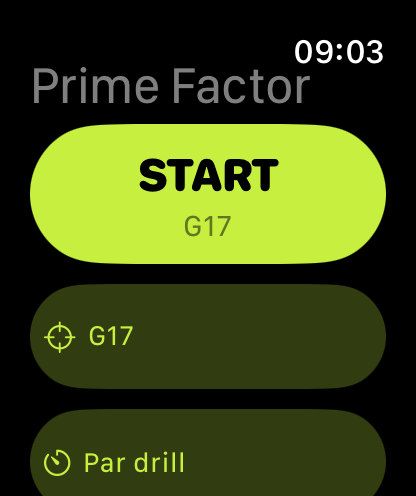
Pick your gun
Choose the firearm on the watch home screen. START is lit, so this gun is calibrated on this watch. The watch works on its own, so the phone can stay in the car.
Read more in the User Guide →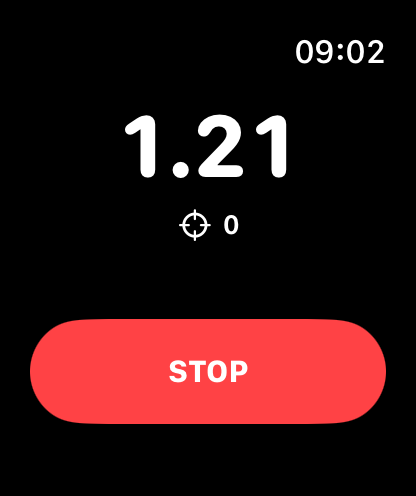
Step 2 · Apple Watch
Time a string
Tap START, take your start position and hold still. After a random delay the start signal sounds and the clock runs. The screen shows your time and shot count. Tap STOP when you are done.
Read more in the User Guide →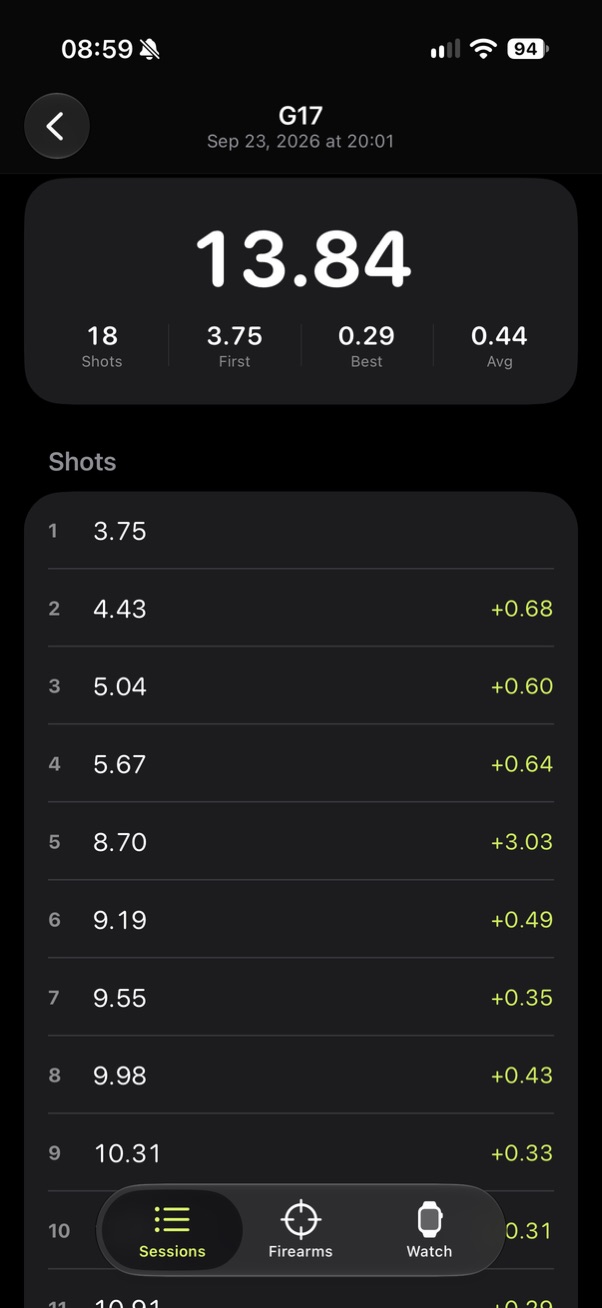
Step 3 · iPhone
See the result
Total time runs from the start signal to your last detected shot. You also get your first shot, best split and average split, and every shot with its time and split.
Read more in the User Guide →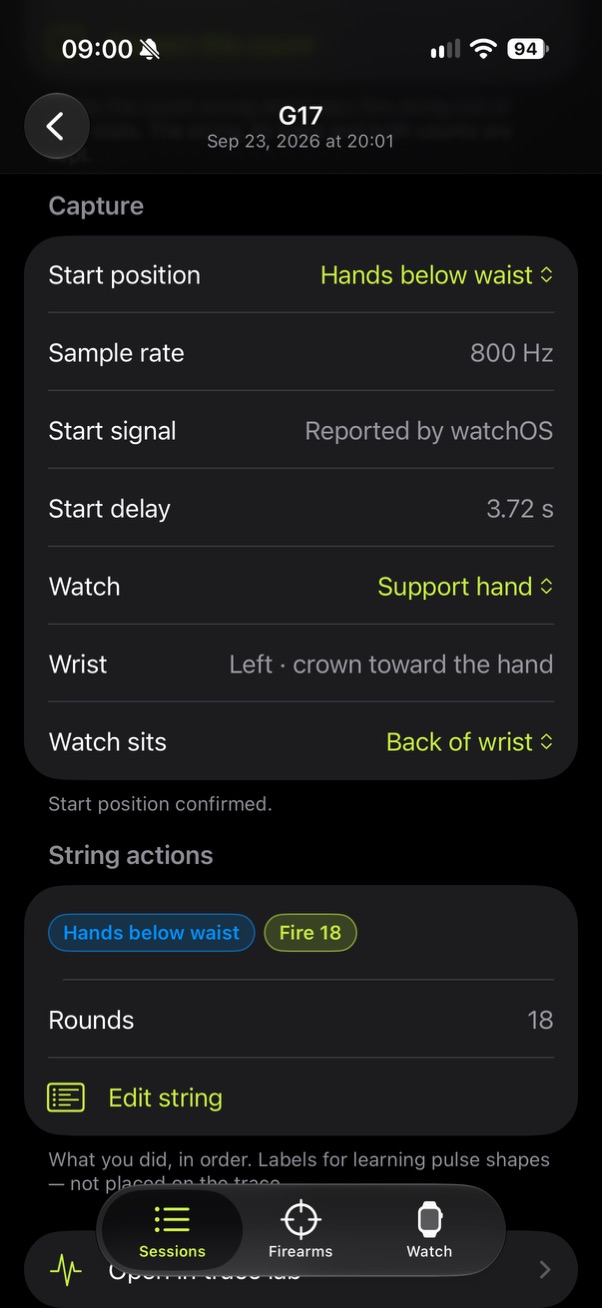
Step 4 · iPhone
Tag what you did
The Capture block shows the start position the watch sensed. Leave it if it is right, or tap the correct one. Then build the list of what you did, in order, so you can learn from it later.
Read more in the User Guide →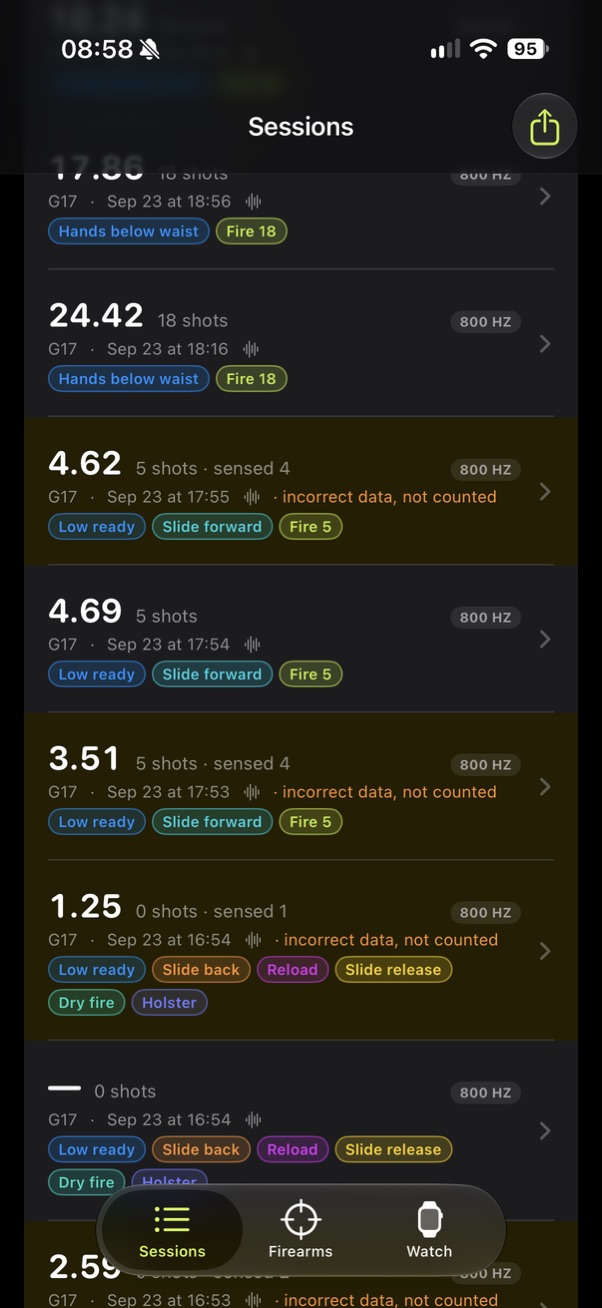
Step 5 · iPhone
Review your sessions
Every string is listed with its time, shot count and colored action pills. A yellow row means you corrected that string’s count, so it is kept out of your numbers.
Read more in the User Guide →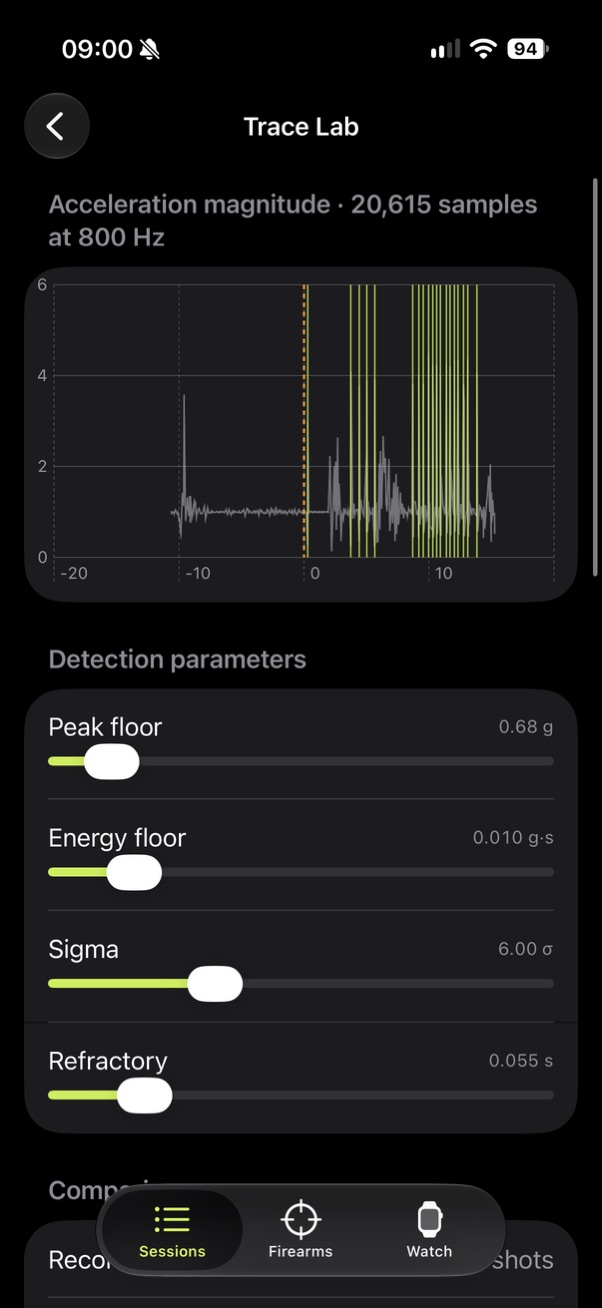
Step 6 · iPhone
Check the count in Trace Lab
Trace Lab replays the recorded sensor data through the same detector the watch ran. Each lime line is a shot. Move the sliders to see why a shot was counted or missed, without going back to the range.
Read more in the User Guide →